Razorpay for Indian payments
The Razorpay adapter opens Razorpay's checkout for UPI, cards, netbanking and wallets, and marks a booking paid only after the signature and webhook check out.
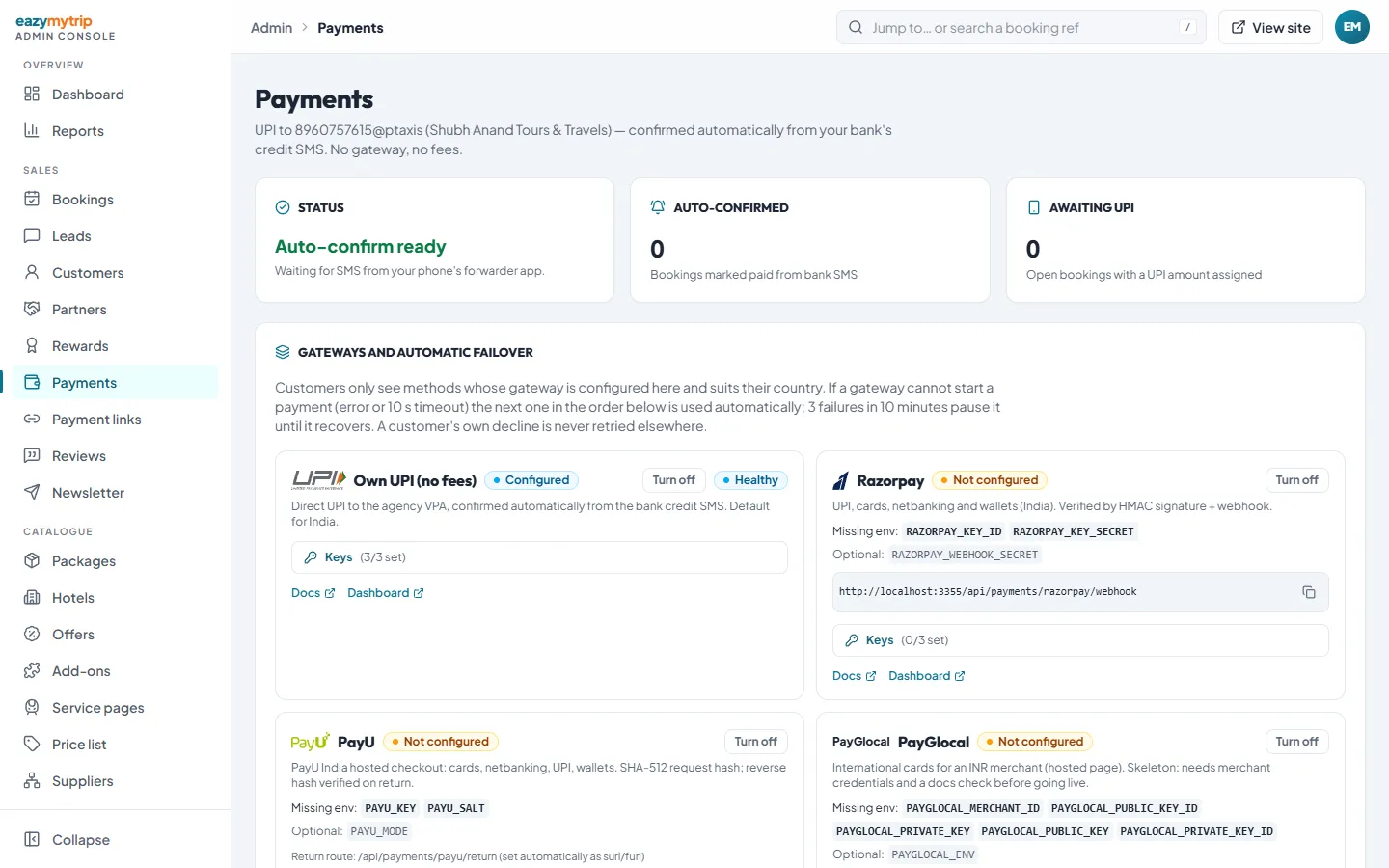
Real screenshot of the platform. Real screenshot, not a mock-up.
What the adapter does
Order per booking
A Razorpay order is created on the server for the exact booking amount and stored on the booking.
Signature check
The browser's success response is verified with an HMAC signature before anything is marked paid.
Webhook backup
With a webhook secret set, Razorpay's webhook confirms payments even if the customer closes the tab.
Test or live detection
Admin shows whether your key is a test or live key from its prefix.
Environment variables
RAZORPAY_KEY_ID=rzp_test_...     # or rzp_live_...
RAZORPAY_KEY_SECRET=...
RAZORPAY_WEBHOOK_SECRET=...      # optional, recommended
What you sign up for
- 1
Open a Razorpay account
Razorpay activates live payments after KYC on your business. Their pricing and settlement terms apply to you.
- 2
Test first
Use test keys to run complete bookings without real money.
- 3
Add keys and webhook
Paste the keys in Admin → Payments and point a Razorpay webhook at your site with the same secret.
Frequently asked questions
Can I use Razorpay and direct UPI together?
Yes. Both can be on; you set their order for the India market in Admin → Payments.
Does it take international cards?
If Razorpay enables international payments on your account. The adapter charges in INR.
What about PayU?
A PayU India adapter is also included, keyed by PAYU_KEY and PAYU_SALT, if you prefer PayU.
Plan your Indian checkout
Read our guide to UPI, gateways and international cards for Indian agencies.